

In this article I will show you how to check your payment status and the basic things you need to know about payment.
First navigate to DASHBOARD —> PAYMENTS
Hear you will find:
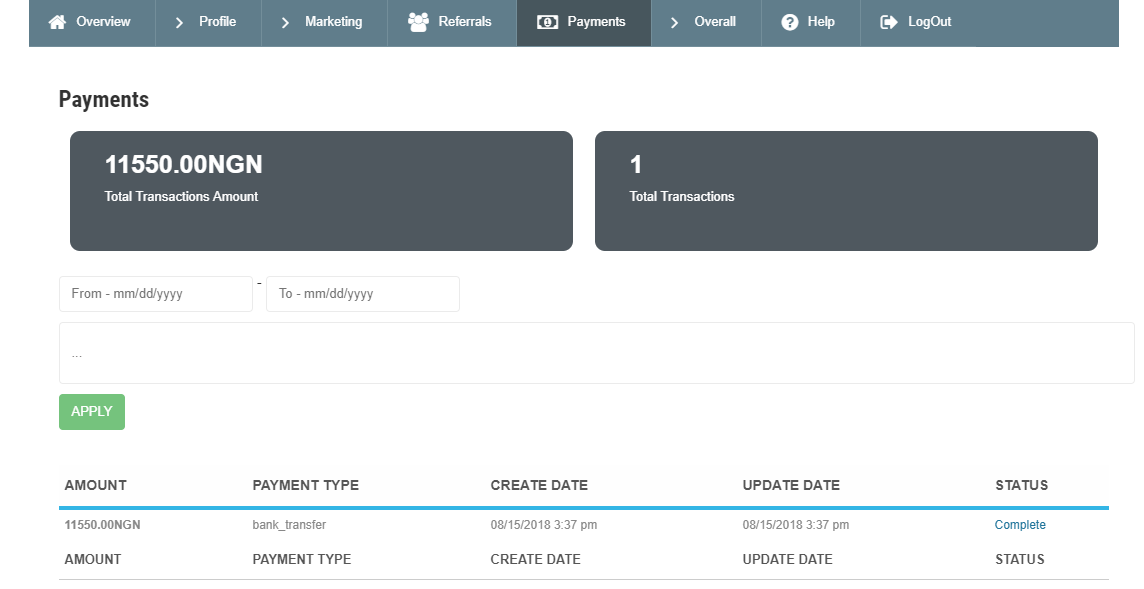
Total Transactions Amount: This field tells you the total money you have earned so far.
Total Transactions: This field shows you the total number of VALID transactions that have being paid to your bank account.
To find a recent of old transaction details and status, scroll down the same page you will see a section where you can search for your desired transaction date, bellow you will the transaction details and it STATUS.
If the status is:
COMPLETE: This means the amount was completely transferred to your bank account
PROCESSING: This means the amount is currently being processed to your bank account.
See picture below:
Recent Comments