

In this article I will show you how to generate affiliate links and banners you can share/promote. If done correctly you will start earning commission from each customer you refer to make a purchase on our marketplace.
NOTE: If someone clicks on your affiliate link and they didn’t make a purchase instantly on their first visit, if at any point in time they come back to make a purchase for any product without you re marketing to them within 60 days you will still earn a commission based on the product category.
HOW TO GENERATE DEFAULT REFERRAL LINK:
Please follow the process below to generate a referral link to our marketplace.
- Log in to your vendorfy affiliate management dashboard
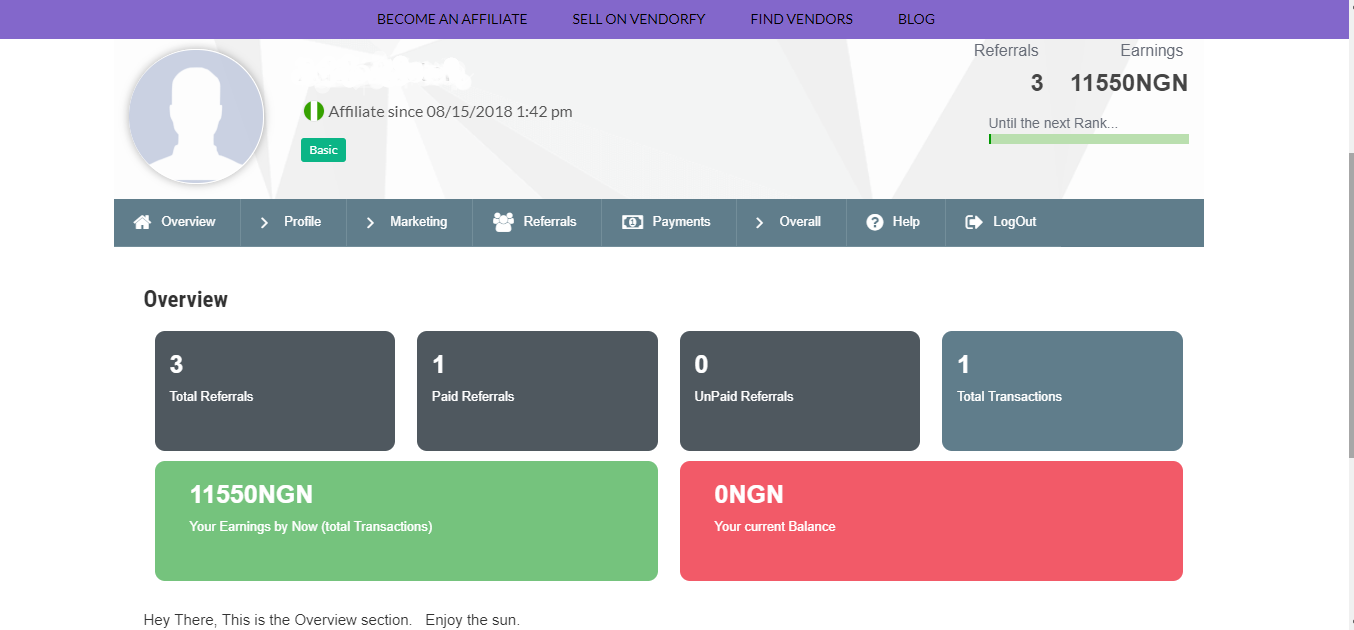
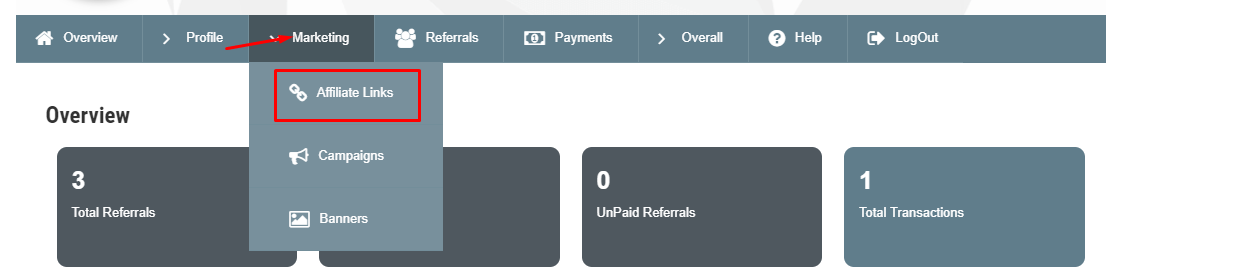
- Click on MARKETING to reveal it submenu and click on AFFILIATE LINKS
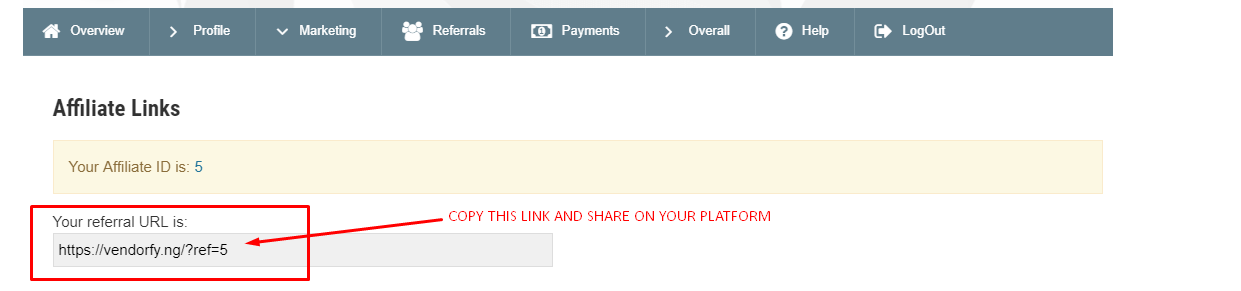
- On the new page you will find the affiliate ID associated with your account and your referral URL. Ie: https://vendorfy.ng/?ref=5
Copy your referral URL and start sharing it the most convenient way for you to start earning commission.
- You can also download your affiliate QR code on the same page below you affiliate link if you are comfortable marketing using QR codes.
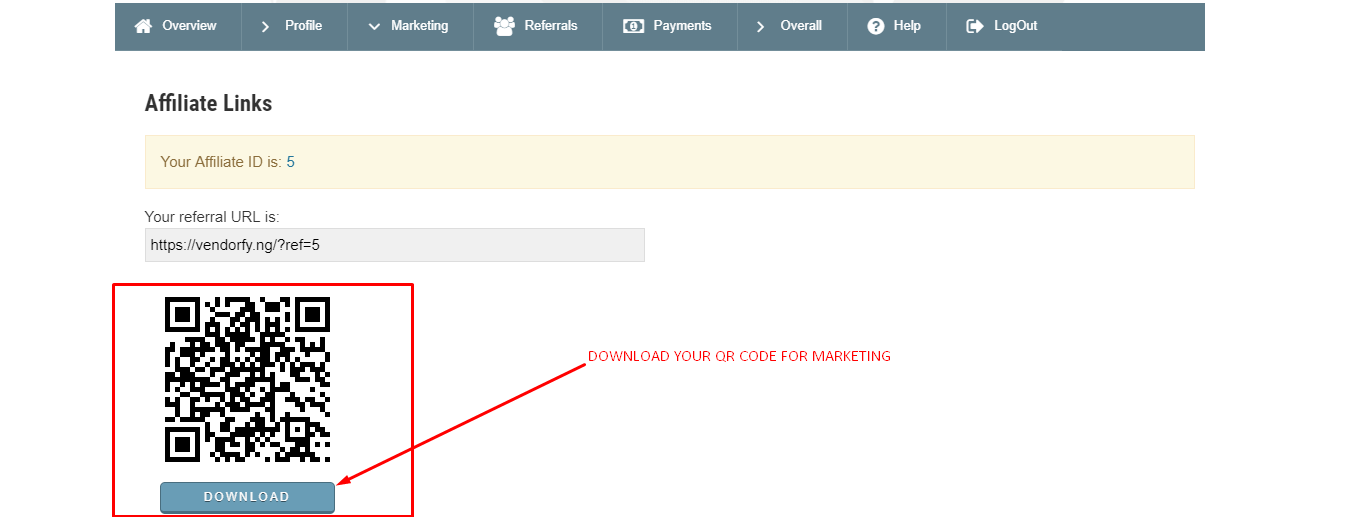
NOTE: Every affiliate member has a unique referral link and QR code generated by default on your dashboard, this default link and QR code cannot be changed. If you alter your default affiliate URL, our system will not recognize it and you won’t earn commission from the referred customer. So be sure to copy your referral link completely and always double check it ends with you Affiliate I.D.
HOW TO GENERATE REFERRAL LINK BASED ON PARTICULAR PRODUCT OR CATEGORY:
You have the option to generate referral links based on a particular product or product category if you are an affiliate member that has a niche target.
Follow the steps below to generate an affiliate link based on a product or product category.
- First navigate to DASHBOARD —> MARKETING —> AFFILIATE LINKS
- Scroll down to the Link Generator section
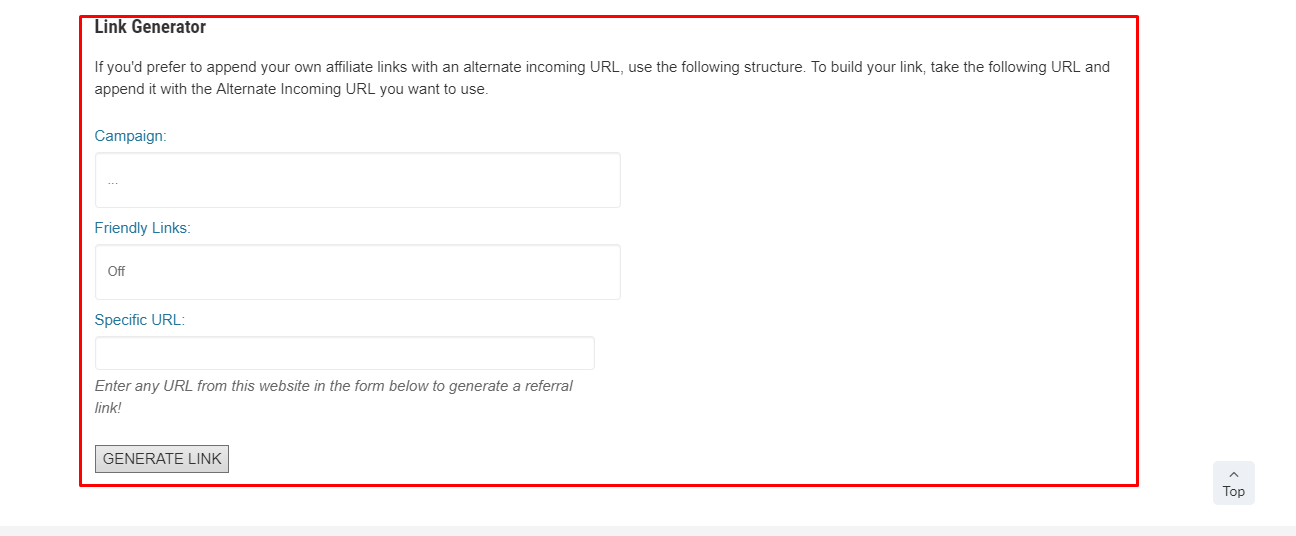
- Open a new browser tab and navigate to our marketplace URL: vendorfy.ng
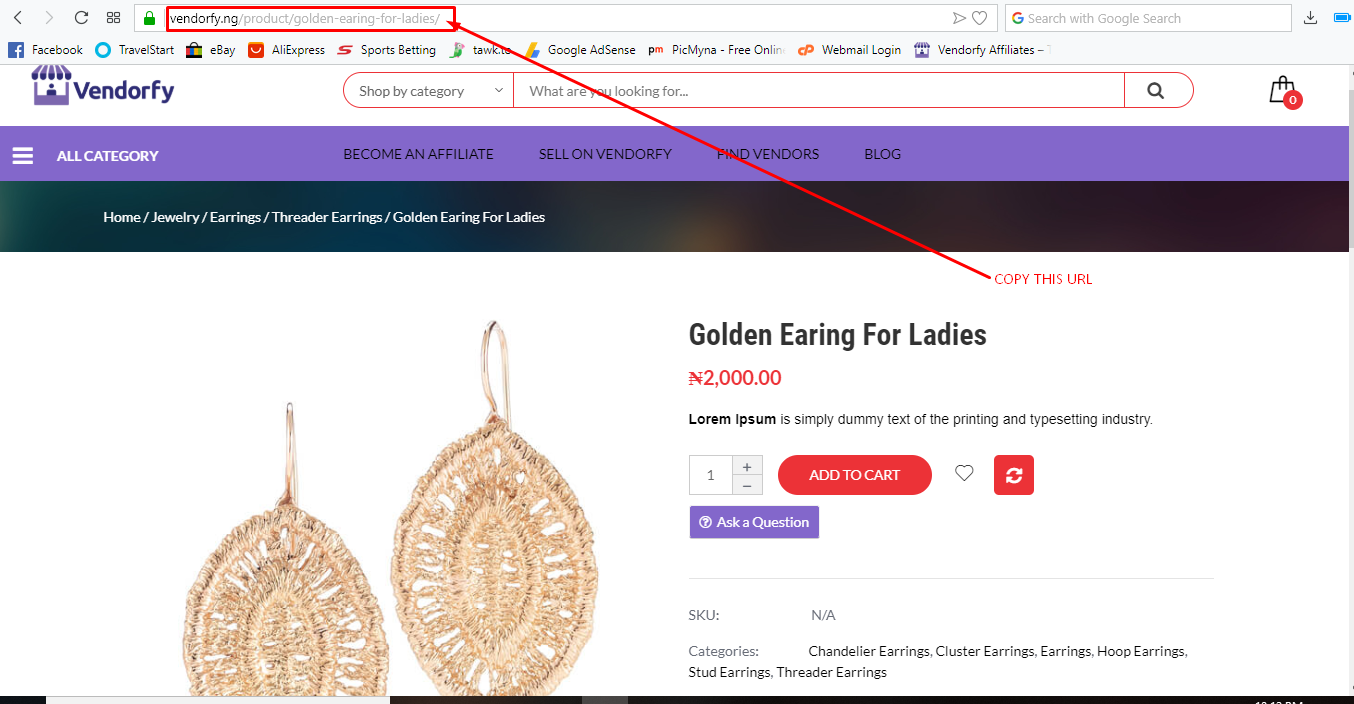
- Search for the product you like to market and click on it to view the product page, copy the product page URL. See picture below:
- Go back to your affiliate dashboard and PASTE the URL you copied for the product page to Specific URL See picture below:
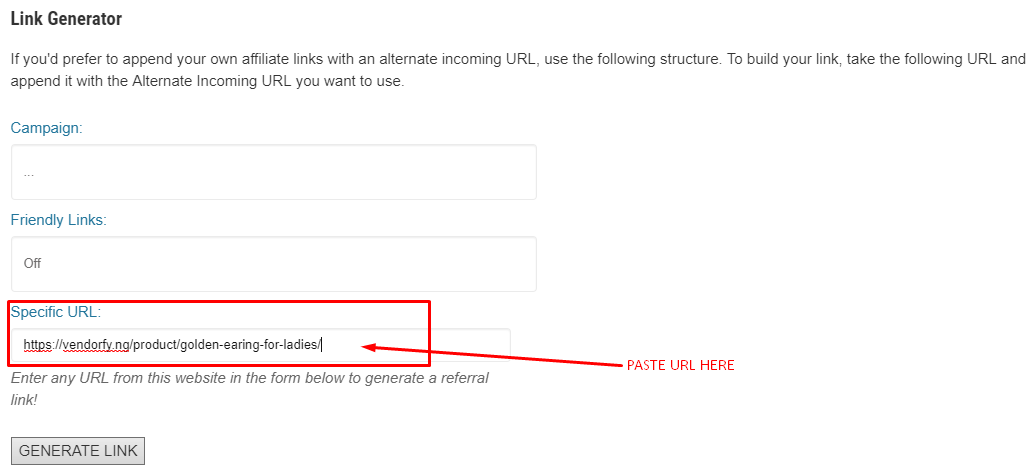
- Ensure you turn on Friendly Links and then click on GENERATE LINK.
Your new affiliate link for the specific product and the QR code will be generated instantly and it will look like the picture below:

You can now copy the new affiliate link in the GREEN bar or download the QR code and start to share/promote the links to earning commission.
If anyone clicks on the link or scans the QR code they will be directed to the particular product you choose and when they make a purchase, our system will automatically recognize it and assign a commission to your account.
To promote a full Product Category follow the same process as stated above. However, you need to click on your desired category in our marketplace to reveal all the products in that category then copy the URL and paste it to the Specific URL field to generate a referral link for that particular category.
GET BANNERS TO PROMOTE ON YOUR WEBSITE/BLOG:
This section is strictly for website owners or bloggers who want to display our banners on their platform to earn a commission.
Navigate to DASHBOARD —> MARKETING —> BANNERS
There you will find all the banners size we have available copy your preferred banner SOURCE CODE and place it in the section of website or blog you want it to display on.
I hope this article answered your questions relating to generating links and banners from your vendorfy affiliate management dashboard.
Click here to learn ways you can promote your link to earn more commission
Recent Comments